3D
Edit slot settings from the preview
Each color slot in the 3D preview has a sliders button under its swatch. It opens the same Blend Rate, Roughness, and Metalness window as the material list, placed so the model stays visible.
What shipped with SF6 CMD Color Sync and what is planned next.
Edit Blend Rate, Roughness, and Metalness from the 3D preview and see them on the model.
Each color slot in the 3D preview has a sliders button under its swatch. It opens the same Blend Rate, Roughness, and Metalness window as the material list, placed so the model stays visible.
The preview now applies each slot's Roughness and Metalness where its mask paints the costume. It approximates the effect without the game's roughness and metal textures.
Blend Rate, Roughness, and Metalness sliders update the 3D preview as you drag instead of when you let go.
The floating 3D preview no longer covers the color box, Surprise Me, or the slot settings window when they overlap.
Exported ZIPs no longer include color backups unless you turn them on. ZIPs that already contain backups keep the option on, so exporting them does not remove their backups.
Adjust how strongly each color slot is applied, and how rough and metallic it looks.
Every color slot has a slider icon. It opens a small window with Blend Rate (0 to 1) and Roughness and Metalness offsets (-1 to 1), where 0 leaves the material unchanged. Edits appear in Current Changes and can be reverted like colors.
With a complete mod ZIP loaded, Color 1 settings that are off in the CMD are edited in the mod's own material file, the same way shared color defaults are. The window shows which palettes share the value.
Color Sync, Pattern Sync, and Duplicate Palette can also copy Blend Rate, Roughness, and Metalness. The option is off by default.
Exporter v1.8 also copies edited CustomizeColor_N_BlendRate, CustomizeRoughness_N, and CustomizeMetal_N values. Color strings include these settings only where you edited them. Disable the older exporter entry before enabling v1.8.
Ctrl (Cmd on a Mac) now works like Shift in the 3D preview, and Shift or Ctrl with the scroll wheel zooms straight away. Dragging the model or Shift/Ctrl-clicking it no longer closes an open color box.
Turn on Sharper textures in the 3D preview's advanced settings to load textures up to 1024 × 1024 instead of 512 × 512. It is off by default because it uses about four times the memory.
A complete hex color pasted into the color box applies immediately, without pressing Enter. The color box's resize grip stays in its corner when the box scrolls.
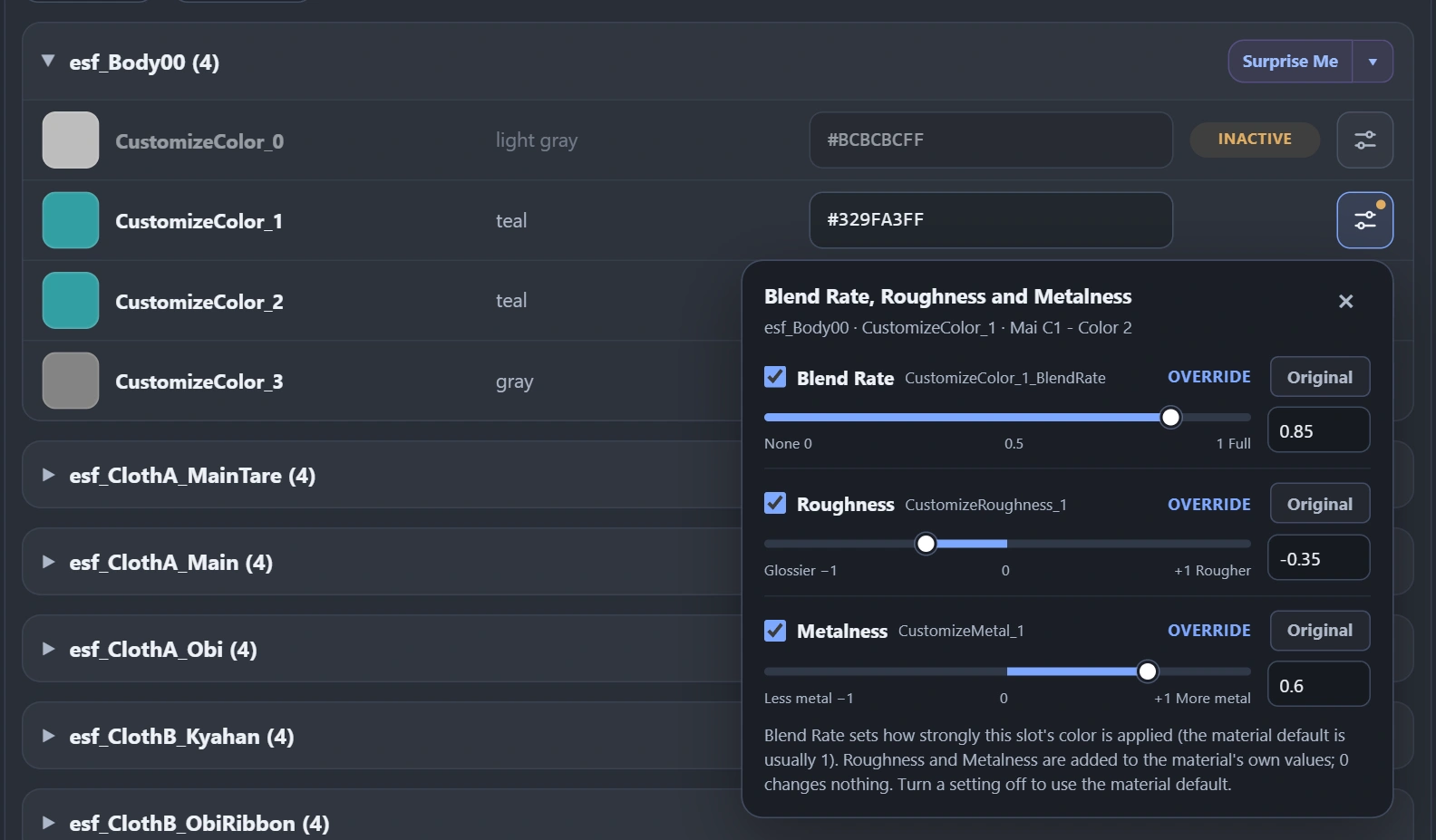
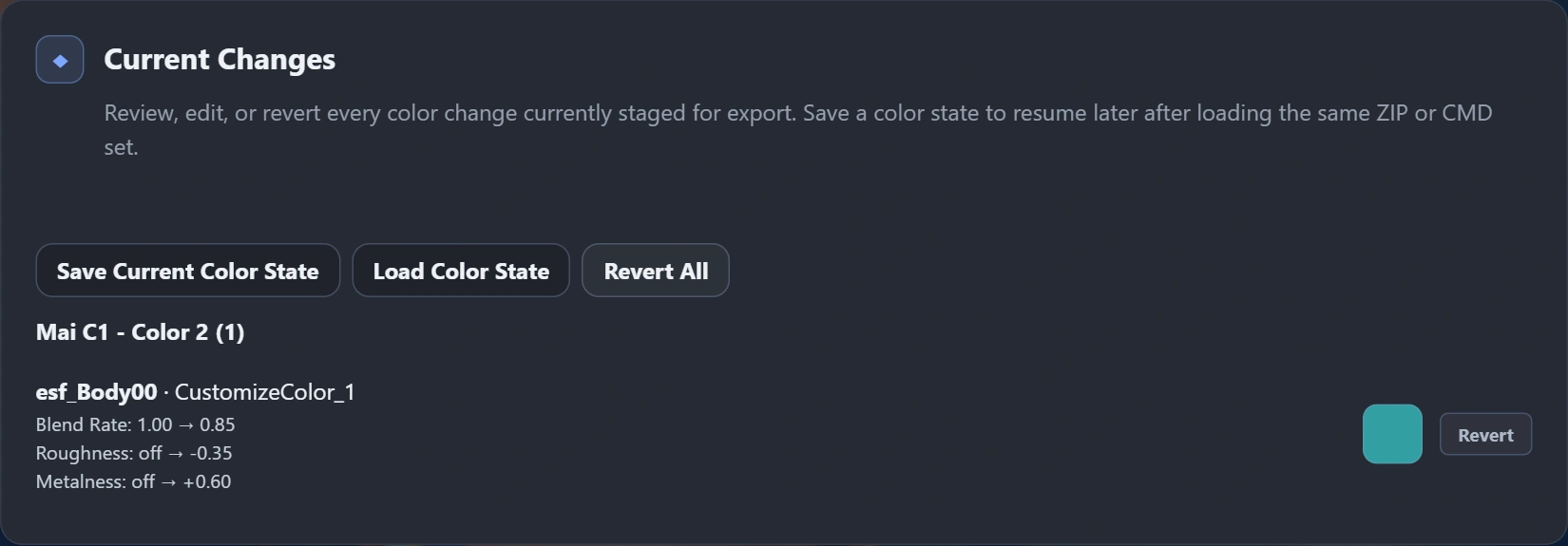
The slider labels follow the setting names. How strongly each value changes a costume depends on its textures, so check the result in game.
See your colors on the costume's real model while you edit.
Open 3D preview to see the model with its textures. Color edits, palette switches, and Surprise Me show on the model as you make them.
Connect your Street Fighter 6 folder once. Parts and textures a mod does not include are read from your own game files in the browser. Nothing is uploaded.
Mods that swap in another model through a scene file show the swapped model. Leg, body, and hair variants from different mod folders appear as part buttons.
Click a part to see its color slots, open the color box from a swatch, float the preview while you scroll, or go full screen with palette tabs.
One roll now gives a matching palette that keeps dark and bright areas in place. The menu is redesigned, and the color box can roll the single color you are editing.
The mod ZIP limit is now 1 GiB instead of 200 MiB. An oversized ZIP is refused before it is unpacked.
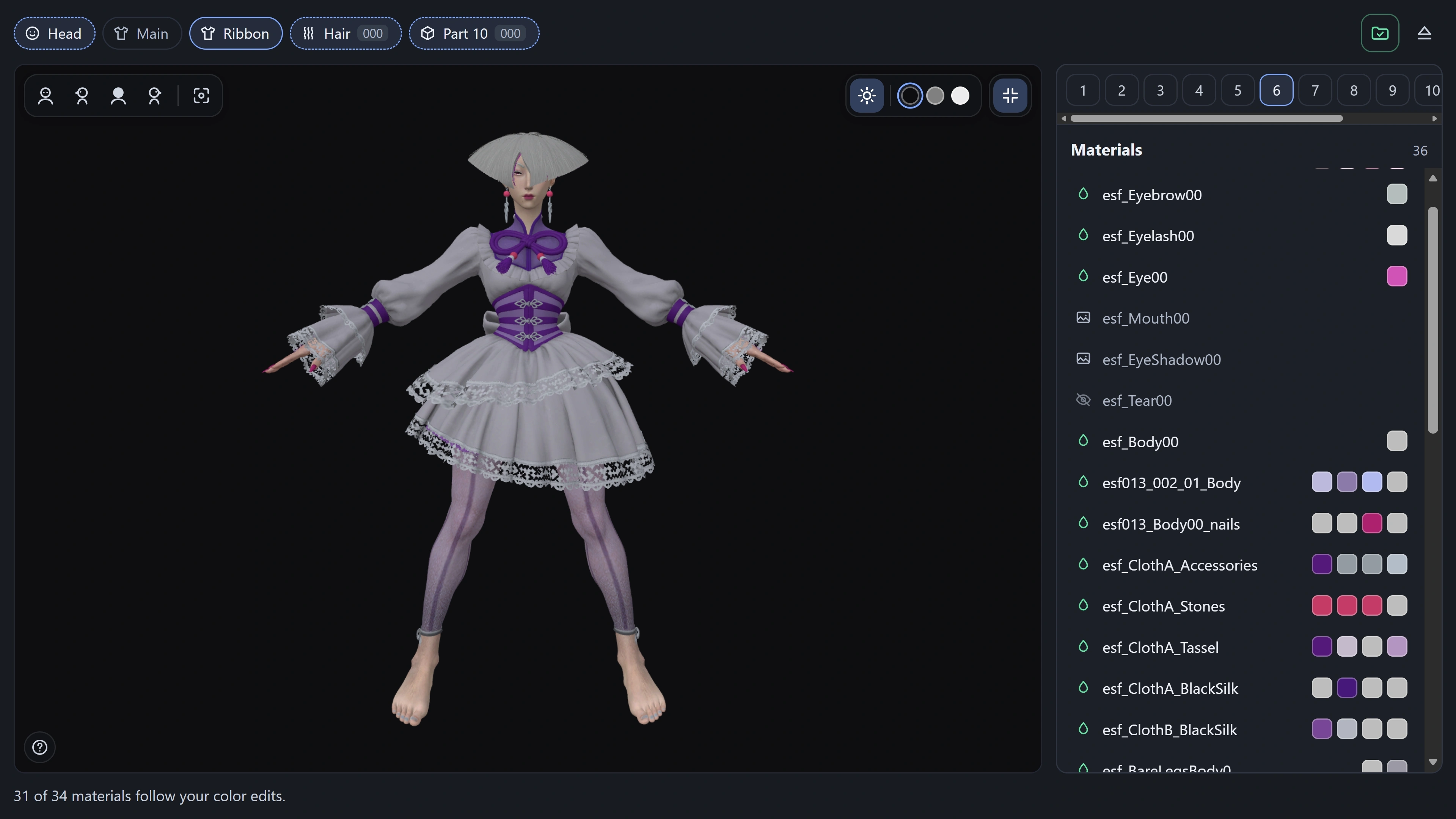
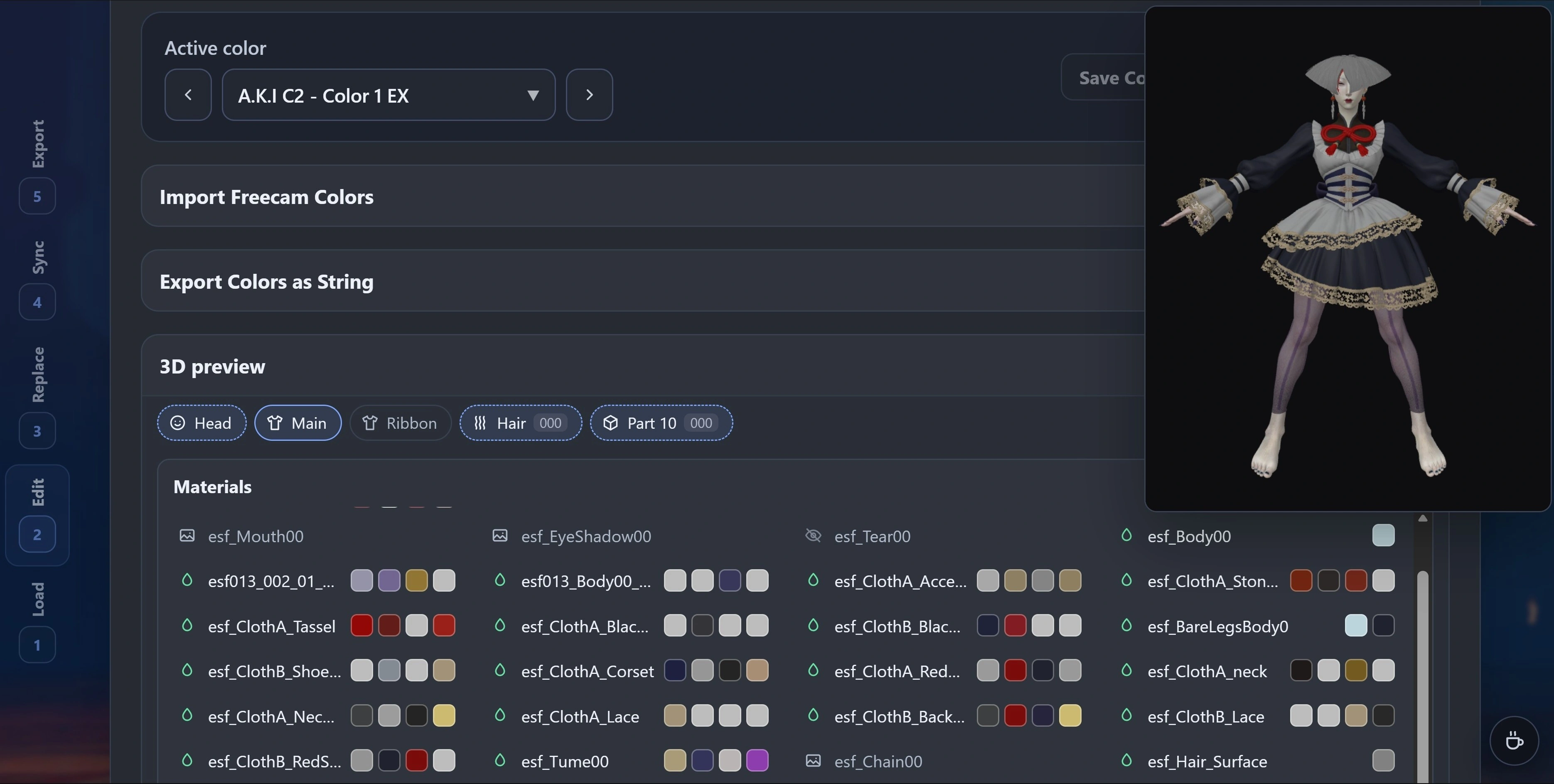
The preview is an approximation with simple studio lighting. It does not reproduce the game's lighting, normal maps, or hair shading.
Support Arjun and the new C. Viper Outfit 4 costume.
Arjun's Outfit 1 and Outfit 2 palettes are recognized by name, show official color references, and display stock material defaults for inactive slots.
C. Viper's new costume includes stock material defaults for inactive slots alongside its official color references.
Exporter v1.7 labels Arjun by name instead of as an unknown character. Disable the older exporter entry before enabling v1.7.
The SF6 Colors.zip color library now includes Arjun Outfits 1–2, C. Viper Outfit 4, every character's new DX Color 8, newly released EX colors, and updated stock files from the latest game version.
Restore ordinary Color 1 editing for loose CMDs and colors-only ZIPs while keeping shared material-default editing and original archive order.
Loose CMDs, colors-only ZIPs, and model parts without supplied mod materials can activate edited targets, including Color 1. A complete mod ZIP is required only when editing its shared material defaults.
Stock Color 1 palettes can prepare supported missing color slots again. Empty clusters use compatible slots from the same model part; Color 1 palettes with supplied mod material files retain their existing structure.
The original pill styling now uses a compact Inactive label, with material-default details in its tooltip. On narrow screens, hex fields span the row and slot names remain readable.
Editing becomes available after palette preparation finishes. Shared defaults update matching mod materials while preserving inactive Color 1 CMD overrides. The ZIP entry-order fix remains in place.
Preserve original ZIP entry order when replacing an existing Fluffy mod archive. Background decompression previously reordered entries, allowing Fluffy's cached indexes to install correct data under the wrong filenames.
Retain source entry order through import and full export, including large textures decompressed in workers. When no entries are removed, existing positions stay intact; new files are appended.
Checks now compare exported entry order as well as file contents, including the cached file-index mapping that caused the A.K.I. crash.
For a previously affected installation, disable the mod components, remove the old archive from Fluffy's Mods folder, add a newly named replacement, refresh the mod list, and enable the components again. Replacing ZIP contents alone does not repair files already installed under incorrect names.
Import Freecam edits into shared material defaults and copy colors from the edited character without extra costume entries.
With the complete mod ZIP loaded, Freecam imports update existing material defaults while preserving inactive CMD overrides. Preview the shared palette and variant scope before applying.
Material imports store the original runtime float values directly. Undo and saved color states include the affected material defaults.
Exporter v1.6 lists characters with edited supported colors and automatically selects a single result. Reused costume parts stay with their owning body costume.
Edit Color 1 material defaults without automatically activating inactive CMD overrides. This supports custom mods that need their default colors in the material files.
Load the complete mod ZIP to edit inactive Color 1 CustomizeColor defaults in the existing material files. Shared-default scope remains visible, and active palette colors retain their CMD values.
Find matching material files in explicitly dependent bundle variants. Use the full mod ZIP to preserve those components; single-mod colors-only exports include their required material files.
Material default edits participate in Current Changes, revert, saved color states, and original and dated color backups.
Keep obsolete or unsupported slots read only when the loaded mod's material files are available. Loose Color 1 palettes need the complete mod ZIP for inactive default edits.
Remove the CMD hair shader color section and named shader transfers. CustomizeColor editing and Freecam player and costume identification remain available; the companion exporter is updated to v1.5.
The fix preserves ordinary palette editing. It does not assume that every inactive slot or every Color 1 edit causes a crash.
v1.1 expands Color Sync from a CMD editor into a safer existing-mod workflow: import full archives, preserve their contents, add missing palettes, and restore earlier color states.
Load one mod ZIP, retain its metadata, screenshot, and unrelated files, then replace only edited CMD palettes on export.
Keep the palettes already supplied by a costume mod and fill only its missing Colors 1–10 from SF6 Colors.zip.
When enabled, use manifest-backed original and dated pre-export snapshots stored inside backup_colors.
Keep visual CMD values primary while showing the decoded linear RGB value used by REFramework at runtime.
Inspect DX CMD files with explicit reference-only labeling when edits may not apply in game.
Remember export folders in supported browsers, manage duplicate names, and preserve existing modinfo fields.
Jump through the numbered workflow from a responsive section rail or with safe 1–5 keyboard shortcuts.
Randomize every active color in one material while preserving alpha and ignoring inactive slots.
Released 11 August 2026.
The first public version established the client-side CMD editing workflow. Files remain in the browser and edits patch known offsets without rebuilding the RSZ graph.
Load palettes for one character and outfit, then inspect material CustomizeColor slots and inactive states.
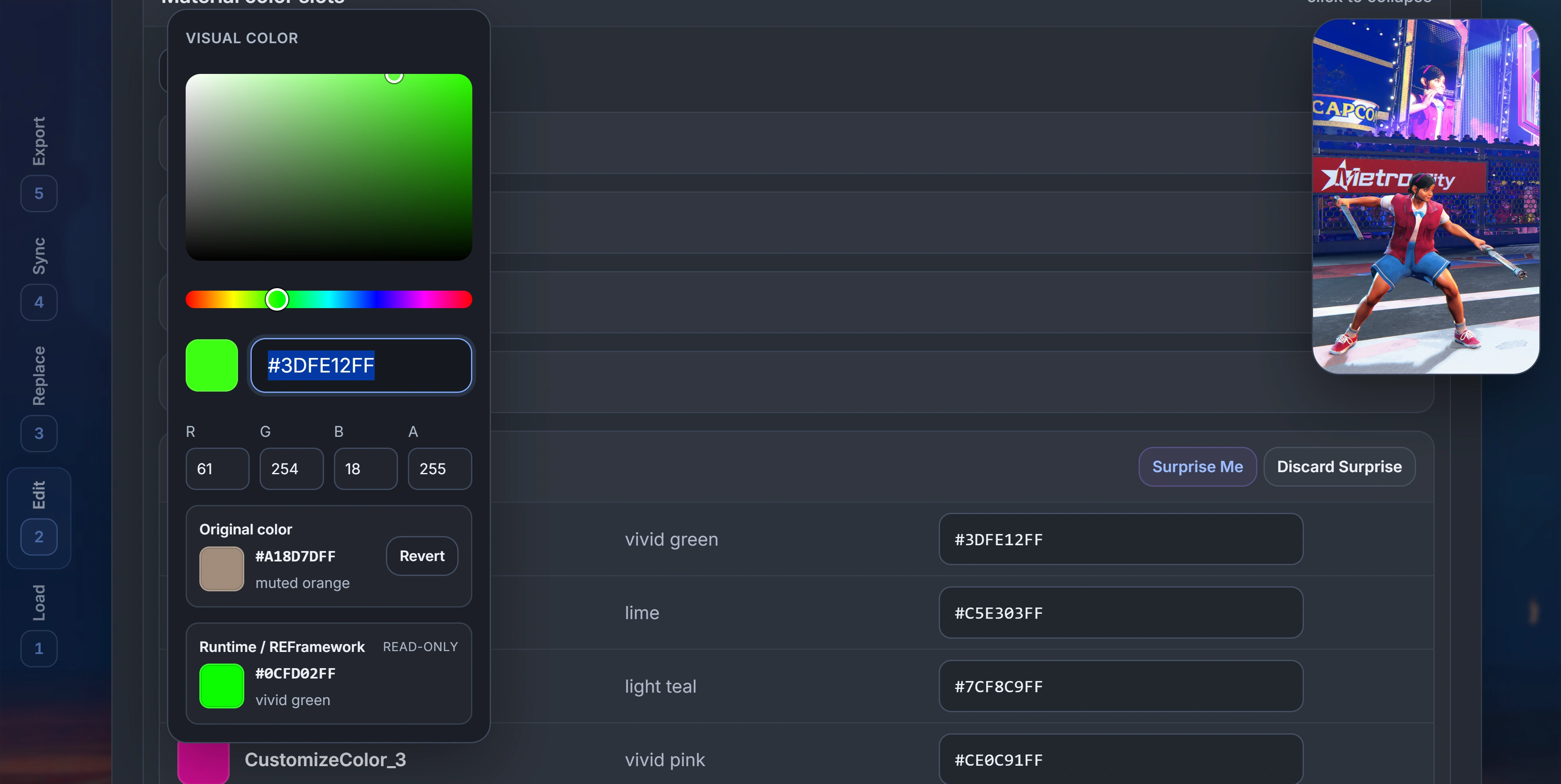
Edit visual RGBA values in place with swatches, friendly names, exact hex input, and a custom picker.
Copy one active source slot to one or more target slots within the active CMD.
Repeat one material/slot mapping across selected palettes while each CMD supplies its own source value.
Replace exact RGBA matches in the active CMD, inspect Current Changes, and revert before export.
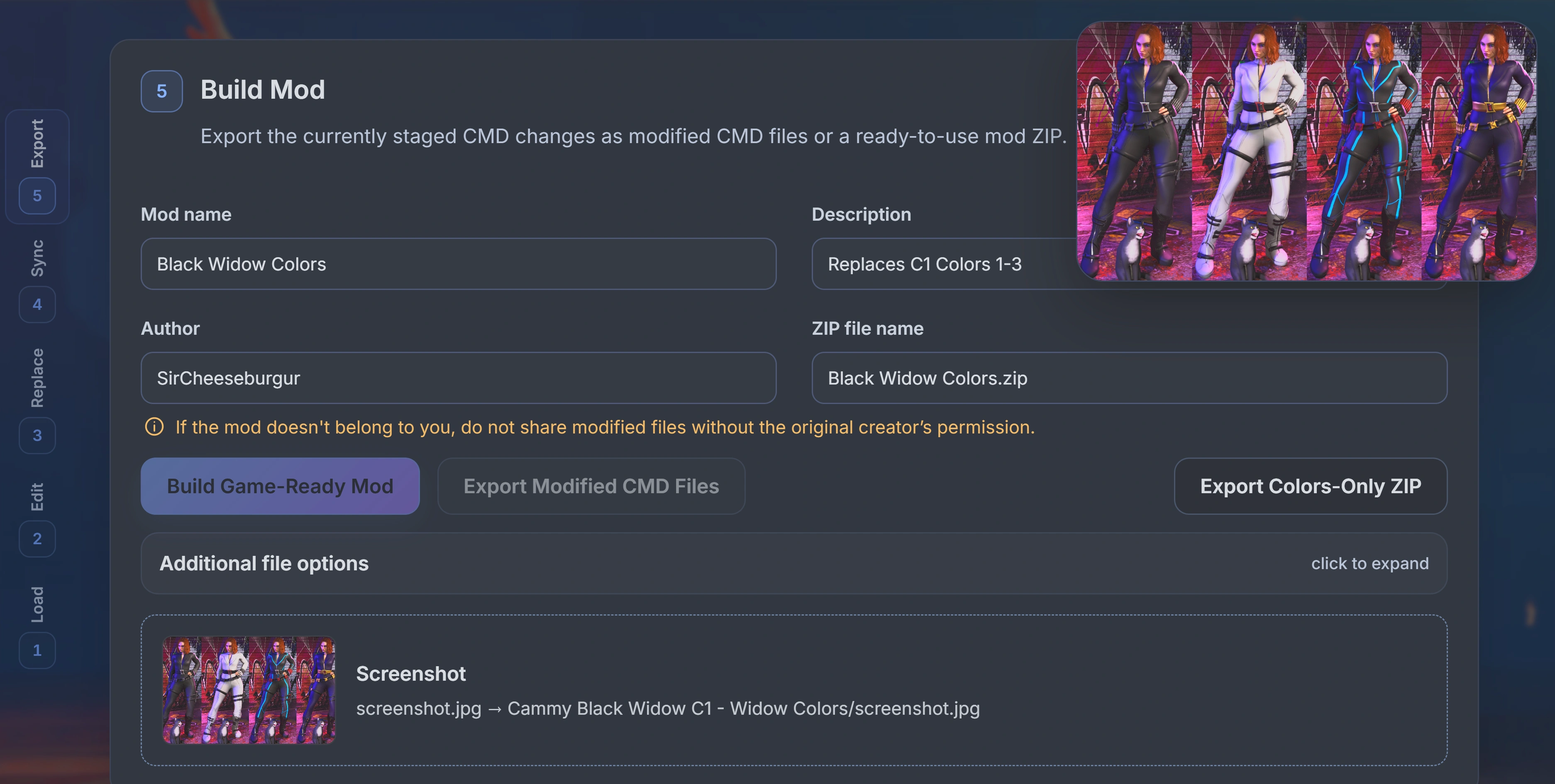
Download modified CMDs or build a Fluffy Manager-ready ZIP with modinfo and an optional screenshot.